SURVIVAL / PC COLLECTION
Escape from Tarkov
Scripts & menus.
Explore Escape from Tarkov script and menu previews for loot categories, raid information and weapon profiles. Compare access plans and check the requirements for your PC setup with Kiription support.

SCRIPT FEATURES
Escape from Tarkov script features.
Explore the controls shown in this collection.
Confirm the supplied build with support.
Tarkov menus need to organize a lot of information without burying the raid. The menu centers on loot categories, entity labels, extraction references and weapon profiles, with the selected map and raid mode kept explicit.
- Loot filters matched to the raid
- Clear PMC and scav information
- Map and extraction reference points
01Wishlist & loot categories
Filter loot by category and a saved wishlist so your display can focus on the items relevant to that raid.
02PMC, scav & boss labels
Keep entity categories separate, with configurable distance limits, colors and displayed information.
03Extraction & map markers
Show supported extraction references and distances. Active-exit information depends on the selected build and map.
04Weapon & aim profiles
Save aim point, smoothing and weapon preferences with the scope and ammunition setup you intend to use.
05Raid information layout
Adjust marker density and overlay position, with a quick toggle for reducing the amount of information on screen.
06Map-specific configurations
Keep loot priorities, visual filters and keybinds together for each map and supported raid mode.
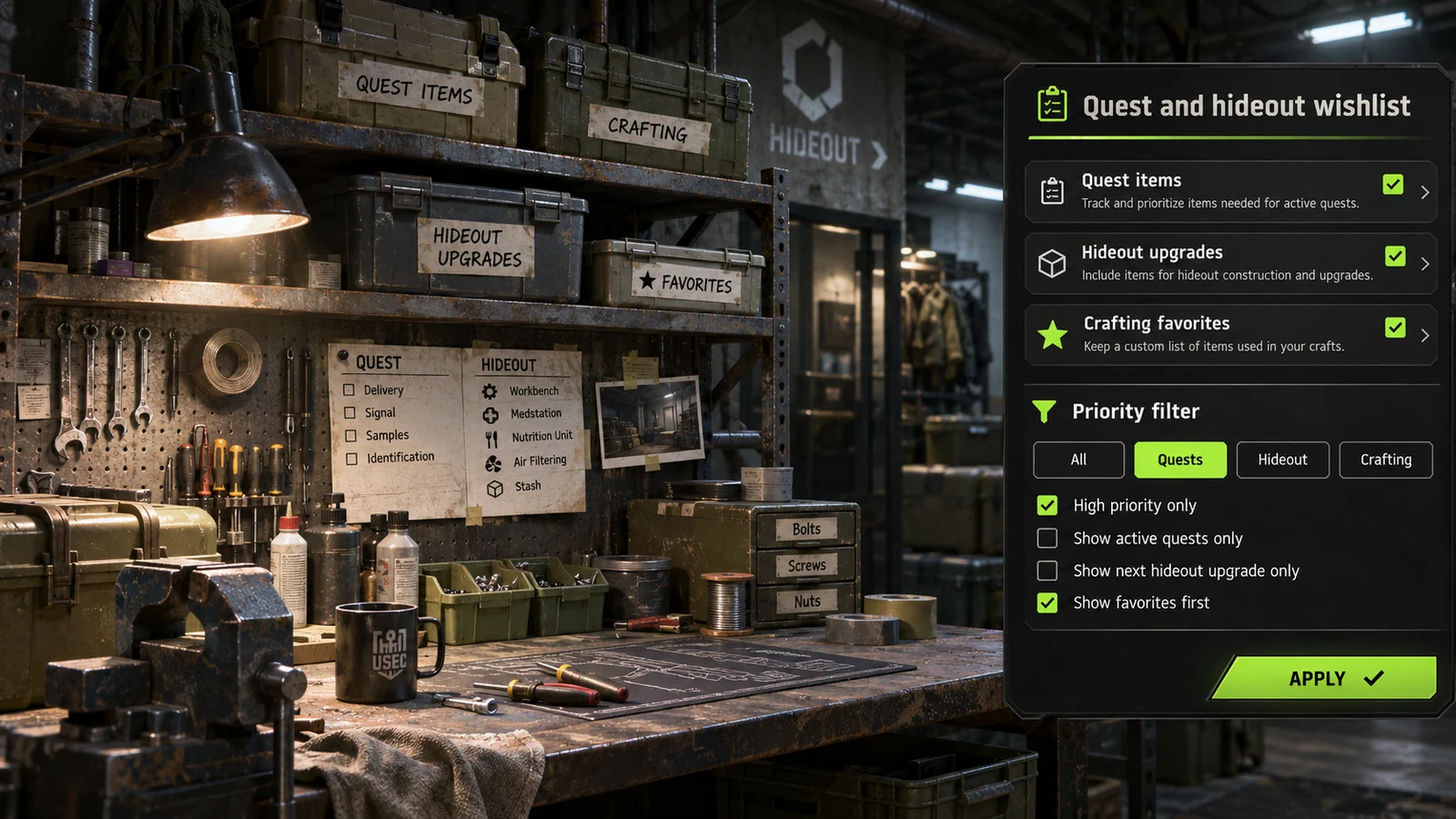
07Quest-item priority filters
Preview a wishlist category for items you have manually marked for active tasks.
08Hideout upgrade checklist
Separate hideout materials from general loot so a configuration can focus on the upgrades you are currently planning. Ask which categories are supplied.
09Crafting & barter favorites
Keep selected recipe and barter ingredients together in a focused item list. Availability, pricing and item requirements change between game updates.
INSIDE ESCAPE FROM TARKOV
Escape from Tarkov.
Explore the menu settings.
Try the controls in your browser, then compare menu screens and game imagery. Ask support which settings are included in the supplied build.
- Wishlist & loot categories
- PMC, scav & boss labels
- Extraction & map markers
BEFORE YOU CHOOSE
Check your setup before paying.
- 01Your game version
- Tell support your Escape from Tarkov edition, current build and PC setup. Ask which configurations and functions are included before choosing access.
- 02Your access period
- Compare 30-day, 3-month and 12-month plans. Lifetime access and source-code packages have their own prices and license terms to confirm with support.
- 03Your payment record
- Keep the transaction hash, network, amount and receiving address from your wallet. Send your receipt to the Telegram bot for manual review and setup instructions.
PLANS & PAYMENT
Choose your Escape from Tarkov plan.
Compare access periods and full USD totals.
Then choose your payment asset and network.
Choose how to pay.
Your amount, network and receiving address, together.
Getting the current exchange rate…
$99.00 USD · Bitcoin networkEstimated conversion. Updates every 15 minutes. Network fees are extra.
QR contains the address only. SelectBitcoin networkin your wallet.
Paid here before? Use the address shown now. Do not reuse a previous address; refreshing this page changes it.
Plan total:$99.00 USD / 30 days. Network fees are separate.
Already paid? Have your TXID and receiving address ready.
GAME & SETUP QUESTIONS
Escape from Tarkov: before you choose.
Does the Tarkov edition or raid mode matter?
Specify Escape from Tarkov or Arena, the current patch, raid mode and maps you need. Confirm map coverage and any hardware requirements with support before choosing access.
How much do Escape from Tarkov access plans cost?
The 30-day plan is $99.00 USD. The plans section also lists 3-month, 12-month, lifetime and source-code options with their full USD totals. Confirm availability and license terms with support.
How do I send my payment details?
Choose a plan and payment network, then use the receiving address shown in checkout. After paying, send the game, plan, amount, network, receiving address and TXID to @kiriptionbot for manual review.
What does the interactive menu preview do?
You can explore the settings and switch between profiles in your browser. The controls affect this preview only. Ask support to confirm the functions included in the supplied product.