OPEN WORLD / PC & PLAYSTATION
GTA V
Scripts & menus.
Explore GTA V script and menu previews for vehicle customization, saved locations and world settings. Compare access plans and check the requirements for your PC setup with Kiription support.
SCRIPT FEATURES
Grand Theft Auto V script features.
Explore the controls shown in this collection.
Confirm the supplied build with support.
GTA V menus are about exploring and customizing Los Santos. The menu emphasizes vehicle work, world controls, camera tools and saved setups. Confirm the supported edition and allowed session types before choosing a build.
- Detailed vehicle customization
- Convenient world and camera tools
- Saved setups for repeat sessions
01Vehicle spawning & customization
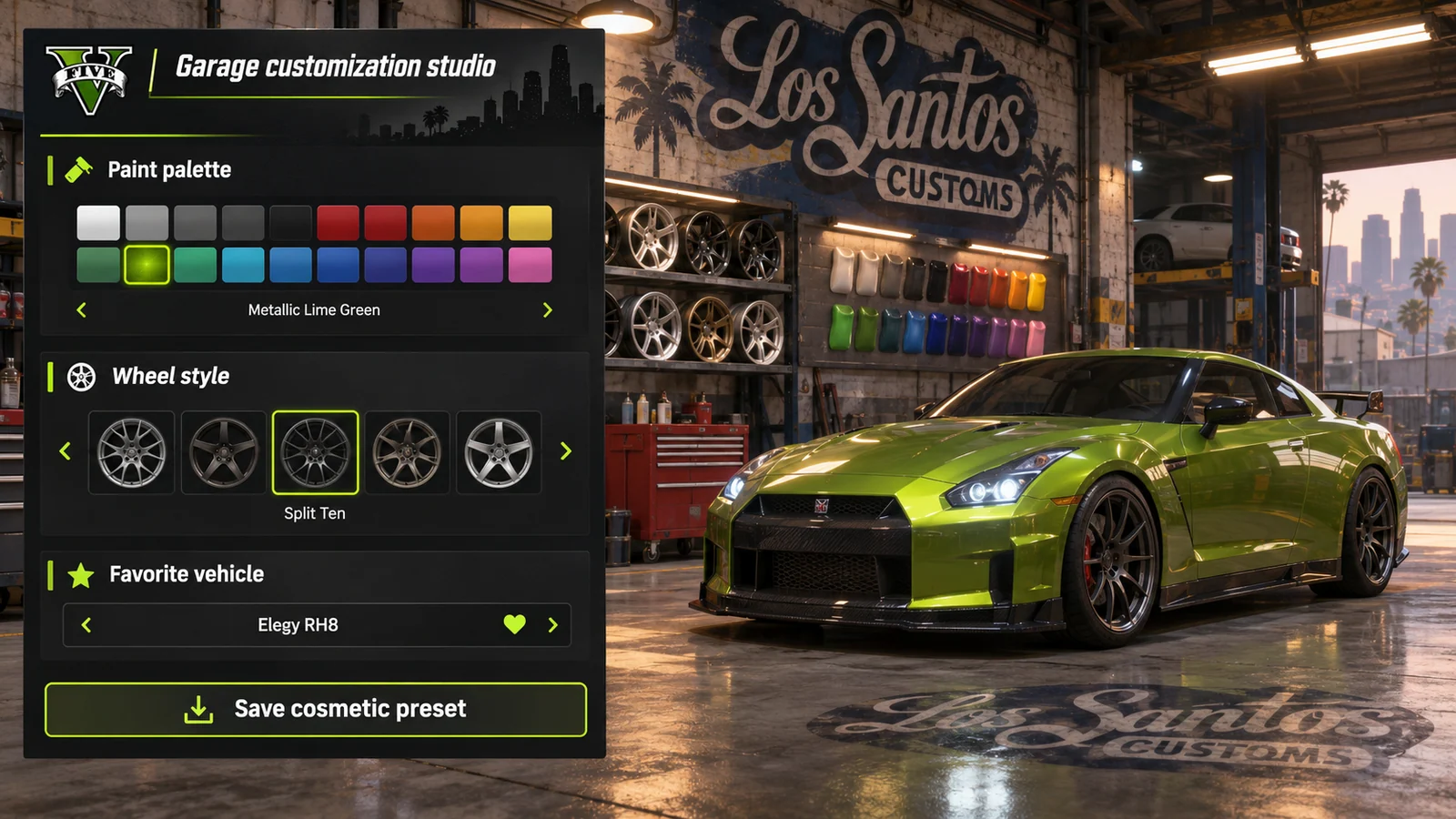
Build a saved garage with vehicle selection, paint, wheels and handling preferences for supported sessions.
02Teleport & saved locations
Keep favorite destinations and waypoint actions in one menu, with separate hotkeys for commonly used locations.
03Time, weather & world controls
Set up the time of day and weather for exploration, screenshots or a specific scene.
04Character & appearance options
Organize supported character models and outfit presets so you can return to a previous look.
05Free camera & scene tools
Plan shots with camera controls and scene presets for Story Mode or other supported environments.
06Menu themes & extensions
Save your theme and keybinds, with Lua or other extension support listed only when confirmed for the chosen menu.
07Garage appearance presets
Preview paint colors, wheel preferences and cosmetic notes around a custom garage layout.
08Favorite vehicle library
Organize a shortlist of vehicles and their preferred appearance settings so each setup has a clear name and reference image in the menu.
09Scene-ready vehicle setups
Keep vehicle appearance and camera preferences together for a personal scene.
PC & PLAYSTATION
Grand Theft Auto V scripts for PlayStation.
PlayStation cheats and scripts are available without an additional accessory. Share your console model, game edition and current version with support before choosing access.
Private installation and setup instructions are shared through support after purchase. Functions can differ from the PC menu previews on this page.
Check your PlayStation setupINSIDE GRAND THEFT AUTO V
Grand Theft Auto V.
Explore the menu settings.
Try the controls in your browser, then compare menu screens and game imagery. Ask support which settings are included in the supplied build.
- Vehicle spawning & customization
- Teleport & saved locations
- Time, weather & world controls
BEFORE YOU CHOOSE
Check your setup before paying.
- 01Your game version
- Tell support your Grand Theft Auto V edition, current build and PC setup. Ask which configurations and functions are included before choosing access.
- 02Your access period
- Compare 30-day, 3-month and 12-month plans. Lifetime access and source-code packages have their own prices and license terms to confirm with support.
- 03Your payment record
- Keep the transaction hash, network, amount and receiving address from your wallet. Send your receipt to the Telegram bot for manual review and setup instructions.
PLANS & PAYMENT
Choose your Grand Theft Auto V plan.
Compare access periods and full USD totals.
Then choose your payment asset and network.
Choose how to pay.
Your amount, network and receiving address, together.
Getting the current exchange rate…
$62.00 USD · Bitcoin networkEstimated conversion. Updates every 15 minutes. Network fees are extra.
QR contains the address only. SelectBitcoin networkin your wallet.
Paid here before? Use the address shown now. Do not reuse a previous address; refreshing this page changes it.
Plan total:$62.00 USD / 30 days. Network fees are separate.
Already paid? Have your TXID and receiving address ready.
GAME & SETUP QUESTIONS
GTA V: before you choose.
Does the GTA V edition or session type matter?
Confirm whether you use GTA V Legacy or Enhanced, then tell support which session types you need. Ask which vehicle, world and camera functions are included in the supplied menu.
How much do GTA V access plans cost?
The 30-day plan is $62.00 USD. The plans section also lists 3-month, 12-month, lifetime and source-code options with their full USD totals. Confirm availability and license terms with support.
How do I send my payment details?
Choose a plan and payment network, then use the receiving address shown in checkout. After paying, send the game, plan, amount, network, receiving address and TXID to @kiriptionbot for manual review.
What does the interactive menu preview do?
You can explore the settings and switch between profiles in your browser. The controls affect this preview only. Ask support to confirm the functions included in the supplied product.
Can I use GTA V scripts on PlayStation?
Kiription offers a PlayStation cheat or script for GTA V without an additional accessory. Tell support your console model, exact game edition and current version before choosing a plan. Private installation and setup instructions are shared with the buyer through support after purchase. PC menu previews do not describe every console function.