BATTLE ROYALE / PC & PLAYSTATION
Fortnite
Scripts & menus.
Explore Fortnite script and menu previews for aim settings, building controls and loot filters. Compare access plans and check the requirements for your PC setup with Kiription support.
SCRIPT FEATURES
Fortnite script features.
Explore the controls shown in this collection.
Confirm the supplied build with support.
Fortnite asks you to track moving targets while managing loot and switching between combat and building. This concept gives those tasks their own controls, with separate configurations for Battle Royale and Zero Build.
- Tracking moving targets
- Fast, readable loot information
- Different setups for Build and Zero Build
01Tracking & target selection
Adjust smoothing, aim point, maximum distance and field of view, with options to ignore downed targets.
02Player & bot visual filters
Keep player and bot labels separate and choose which distance, health and outline information is displayed.
03Loot rarity filters
Prioritize weapons, healing items and ammunition by category and rarity instead of showing every item at once.
04Build & edit key profiles
Save your preferred building and editing bindings in a dedicated profile you can switch away from for Zero Build.
05Weapon-specific preferences
Use separate aim and activation settings for close-range weapons, rifles and scoped loadouts.
06Quick menu controls
Toggle modules and switch presets with configurable keys, with visible indicators for the active settings.
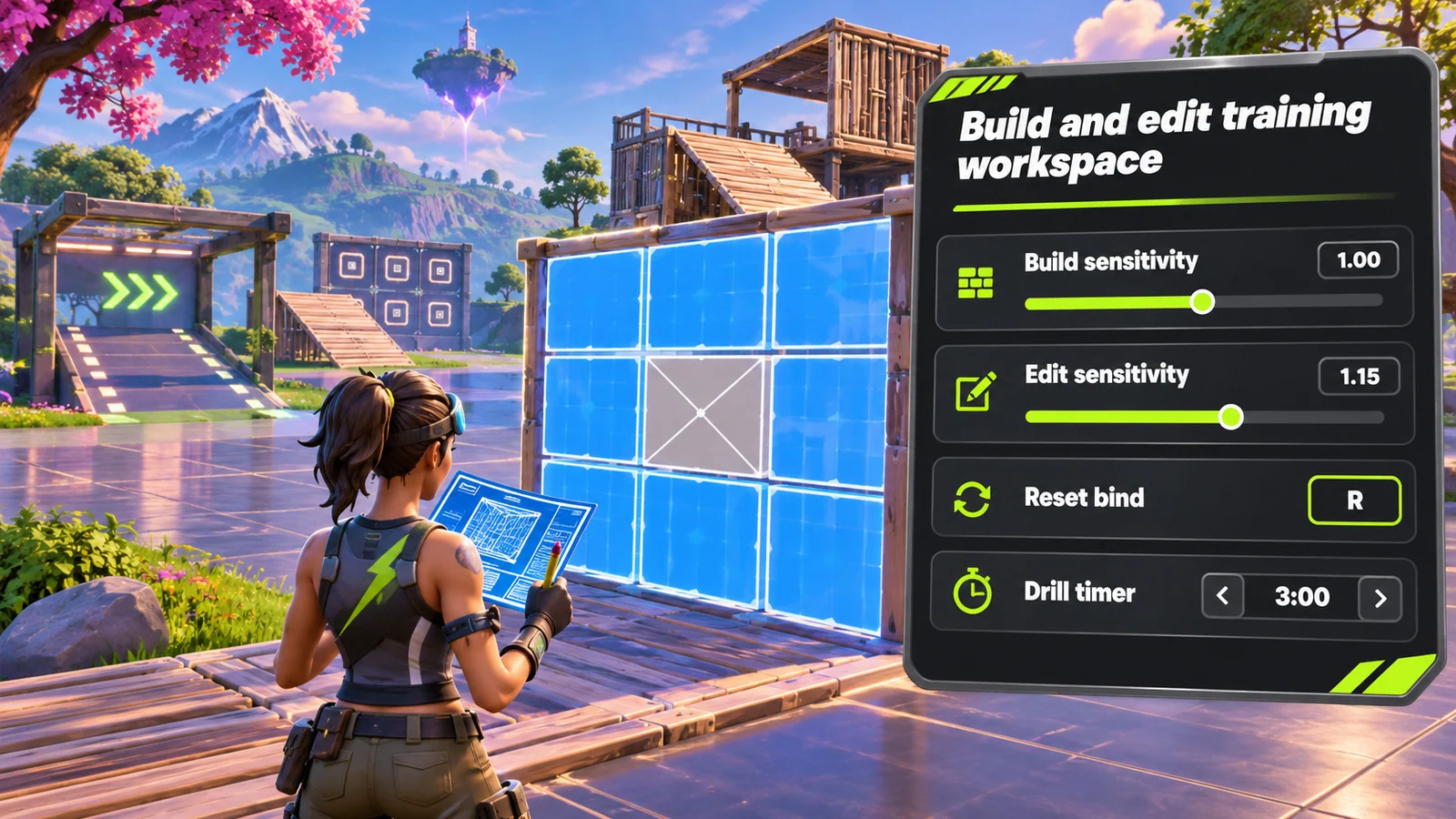
07Separate build & edit sensitivity
Preview independent sensitivity multipliers for building and editing so your construction settings can be reviewed alongside your normal aiming profile.
08Edit-reset key layouts
Explore saved edit and reset bindings for your preferred input device.
09Creative drill presets
Organize practice layouts for free builds, edit courses and aim sessions. A saved preset can keep its keybind notes and timer preferences together.
PC & PLAYSTATION
Fortnite scripts for PlayStation.
PlayStation cheats and scripts are available without an additional accessory. Share your console model, game edition and current version with support before choosing access.
Private installation and setup instructions are shared through support after purchase. Functions can differ from the PC menu previews on this page.
Check your PlayStation setupINSIDE FORTNITE
Fortnite.
Explore the menu settings.
Try the controls in your browser, then compare menu screens and game imagery. Ask support which settings are included in the supplied build.
- Tracking & target selection
- Player & bot visual filters
- Loot rarity filters
BEFORE YOU CHOOSE
Check your setup before paying.
- 01Your game version
- Tell support your Fortnite edition, current build and PC setup. Ask which configurations and functions are included before choosing access.
- 02Your access period
- Compare 30-day, 3-month and 12-month plans. Lifetime access and source-code packages have their own prices and license terms to confirm with support.
- 03Your payment record
- Keep the transaction hash, network, amount and receiving address from your wallet. Send your receipt to the Telegram bot for manual review and setup instructions.
PLANS & PAYMENT
Choose your Fortnite plan.
Compare access periods and full USD totals.
Then choose your payment asset and network.
Choose how to pay.
Your amount, network and receiving address, together.
Getting the current exchange rate…
$80.00 USD · Bitcoin networkEstimated conversion. Updates every 15 minutes. Network fees are extra.
QR contains the address only. SelectBitcoin networkin your wallet.
Paid here before? Use the address shown now. Do not reuse a previous address; refreshing this page changes it.
Plan total:$80.00 USD / 30 days. Network fees are separate.
Already paid? Have your TXID and receiving address ready.
GAME & SETUP QUESTIONS
Fortnite: before you choose.
Does the setup depend on my Fortnite mode?
Tell support whether you play Battle Royale or Zero Build, plus your current version and input device. Mode-specific settings and supported controls need to be confirmed for your setup.
How much do Fortnite access plans cost?
The 30-day plan is $80.00 USD. The plans section also lists 3-month, 12-month, lifetime and source-code options with their full USD totals. Confirm availability and license terms with support.
How do I send my payment details?
Choose a plan and payment network, then use the receiving address shown in checkout. After paying, send the game, plan, amount, network, receiving address and TXID to @kiriptionbot for manual review.
What does the interactive menu preview do?
You can explore the settings and switch between profiles in your browser. The controls affect this preview only. Ask support to confirm the functions included in the supplied product.
Can I use Fortnite scripts on PlayStation?
Kiription offers a PlayStation cheat or script for Fortnite without an additional accessory. Tell support your console model, exact game edition and current version before choosing a plan. Private installation and setup instructions are shared with the buyer through support after purchase. PC menu previews do not describe every console function.