MOBA / PC COLLECTION
Dota 2
Scripts & menus.
Explore Dota 2 script and menu previews for hero profiles, ability controls and map information. Compare access plans and check the requirements for your PC setup with Kiription support.
SCRIPT FEATURES
Dota 2 script features.
Explore the controls shown in this collection.
Confirm the supplied build with support.
Dota 2 needs a different setup for every hero and role. The feature concept focuses on combo order, lane timing, ability information and hotkeys you can change without rebuilding your whole configuration.
- Hero-specific combo control
- Last-hit and deny timing
- Useful timers without screen clutter
01Hero combo sequences
Arrange spells and items in a chosen order, with separate activation keys for each hero profile.
02Last-hit & deny settings
Tune creep targeting, attack timing and activation behavior for the lane rather than relying on one universal preset.
03Spell & item assistance
Configure cast conditions and item-use shortcuts individually, with a quick way to disable each action.
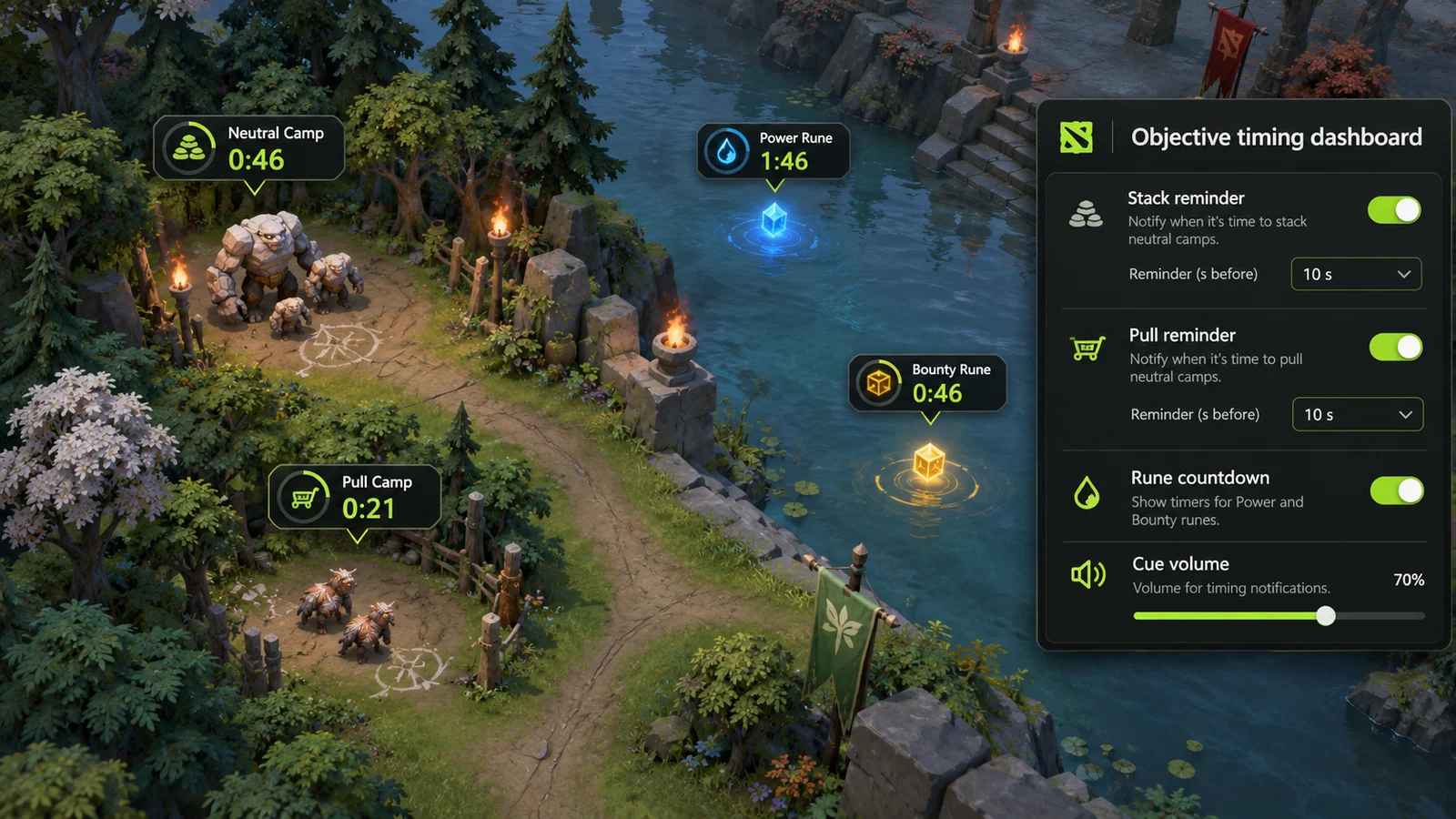
04Rune & objective timers
Keep rune and objective reminders together so you can decide which timing information stays visible.
05Range & cooldown indicators
Preview attack and spell ranges alongside cooldown information, with adjustable colors and label size.
06Role-based profiles
Save separate layouts for support, mid and carry play, including hotkeys and the hero modules you want active.
07Stack & pull reminders
Explore separate stack and lane-pull reminders with configurable cue offsets. Timings depend on the current map, camp route and hero movement speed.
08Objective timer layout
Preview compact rune and objective countdowns arranged around a manual match clock.
09Hero quickcast layouts
Keep ability, item and self-cast preferences in a hero-specific layout.
LOCAL SKIN CUSTOMIZATION
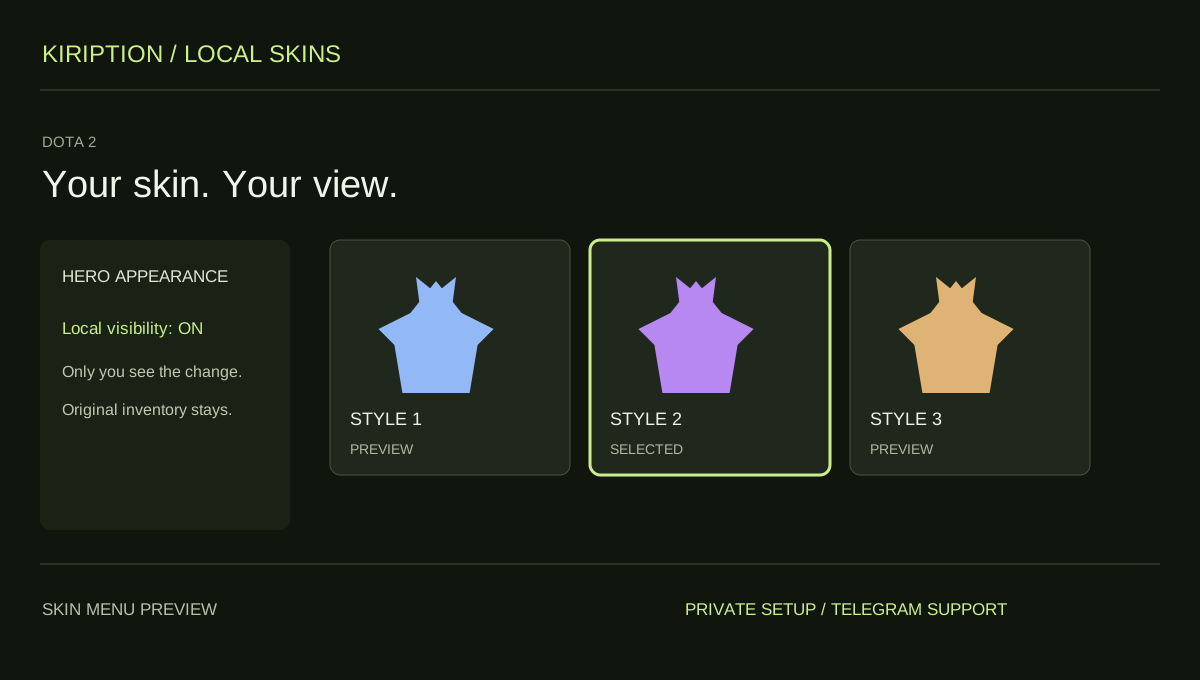
Your skin. Your view.
Choose the skin you want to see in Dota 2. The change is visible only to you. Other players keep seeing your original appearance.
This feature changes your local view. It does not grant ownership of an item or add anything to your tradable inventory. Check the supported skins and game edition with support.
INSIDE DOTA 2
Dota 2.
Explore the menu settings.
Try the controls in your browser, then compare menu screens and game imagery. Ask support which settings are included in the supplied build.
- Hero combo sequences
- Last-hit & deny settings
- Spell & item assistance
BEFORE YOU CHOOSE
Check your setup before paying.
- 01Your game version
- Tell support your Dota 2 edition, current build and PC setup. Ask which configurations and functions are included before choosing access.
- 02Your access period
- Compare 30-day, 3-month and 12-month plans. Lifetime access and source-code packages have their own prices and license terms to confirm with support.
- 03Your payment record
- Keep the transaction hash, network, amount and receiving address from your wallet. Send your receipt to the Telegram bot for manual review and setup instructions.
PLANS & PAYMENT
Choose your Dota 2 plan.
Compare access periods and full USD totals.
Then choose your payment asset and network.
Choose how to pay.
Your amount, network and receiving address, together.
Getting the current exchange rate…
$55.00 USD · Bitcoin networkEstimated conversion. Updates every 15 minutes. Network fees are extra.
QR contains the address only. SelectBitcoin networkin your wallet.
Paid here before? Use the address shown now. Do not reuse a previous address; refreshing this page changes it.
Plan total:$55.00 USD / 30 days. Network fees are separate.
Already paid? Have your TXID and receiving address ready.
GAME & SETUP QUESTIONS
Dota 2: before you choose.
What details should I send for a Dota 2 setup?
Include the current Dota 2 patch, the heroes you play and the controls you want to configure. Ask support which hero and ability settings are included in the supplied build.
How much do Dota 2 access plans cost?
The 30-day plan is $55.00 USD. The plans section also lists 3-month, 12-month, lifetime and source-code options with their full USD totals. Confirm availability and license terms with support.
How do I send my payment details?
Choose a plan and payment network, then use the receiving address shown in checkout. After paying, send the game, plan, amount, network, receiving address and TXID to @kiriptionbot for manual review.
What does the interactive menu preview do?
You can explore the settings and switch between profiles in your browser. The controls affect this preview only. Ask support to confirm the functions included in the supplied product.
Can I choose custom skins in Dota 2?
Yes. The local skin feature lets you choose a skin for your own view. Only you see the change; other players do not see it. It does not add an owned or tradable item to your account. Ask support which skins and current game editions are supported.